
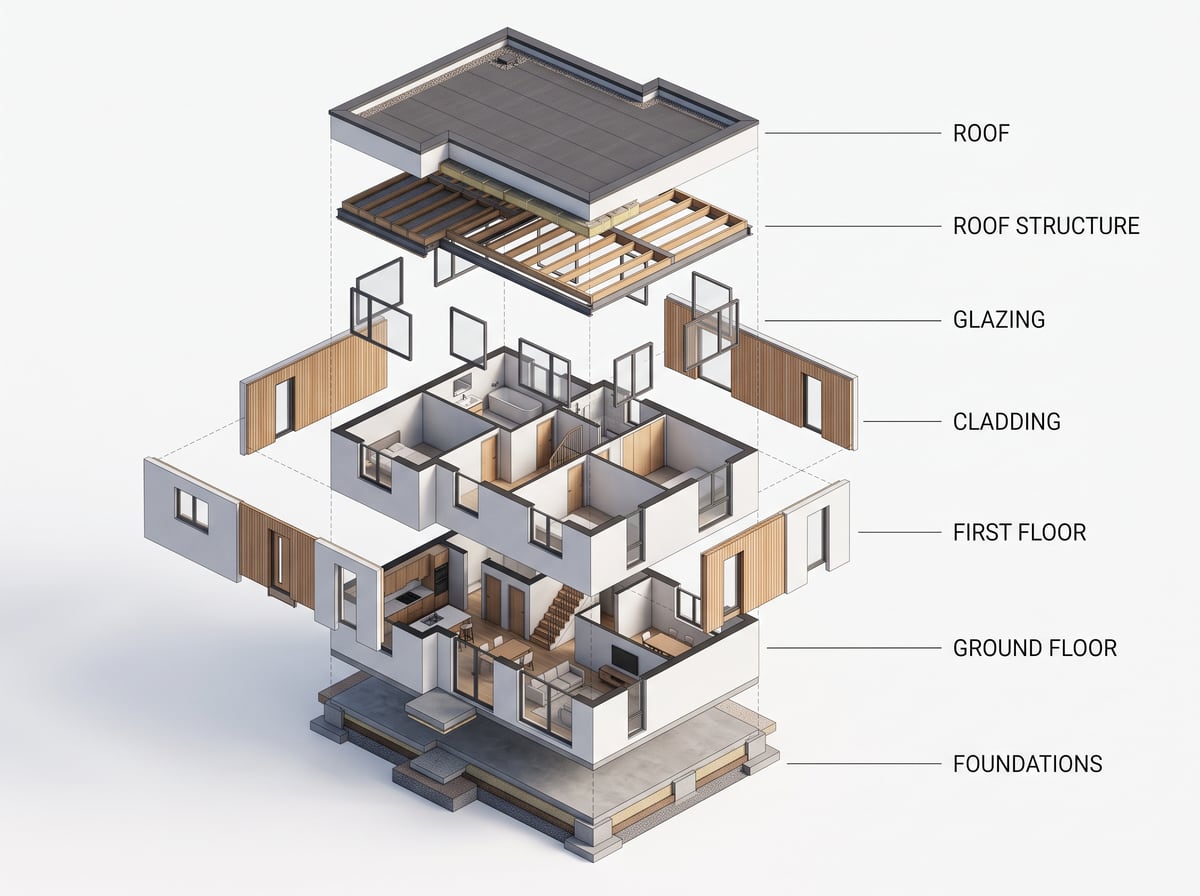
AI-generated exploded axonometric
The drawing that explains a project better than a paragraph: layers separated vertically, each one legible. Two hours of Illustrator in a few minutes.
How it works
- 1Attach a plan, a section or a 3D view of the project.
- 2Pick the Exploded axonometric ambiance.
- 3Name the layers to separate if you have something precise in mind.
- 4Send, then ask for a variant if the layer order does not suit you.
A representation, not a photograph
This is one of the ambiances that change the mode of representation: the result is not a photo but a technical drawing, with its own palette and its own conventions. It keeps the project — volumes, levels, proportions — and changes how it is shown. The same mechanism as the isometric model or the concept board.
What to check on the result
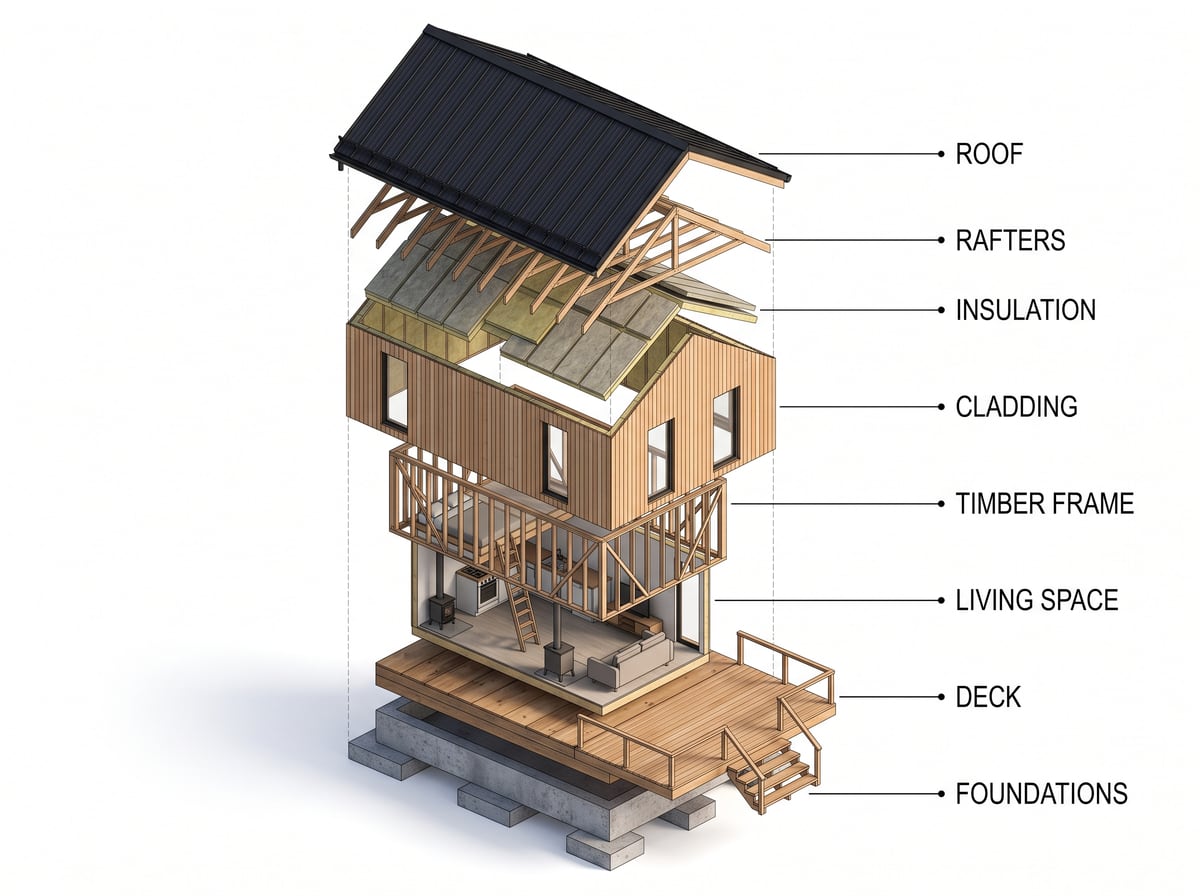
An exploded axonometric asserts something about construction, so read it back as you would a hand-made diagram: the order of the layers, the number of floors, the direction of the structure. If a layer is invented or misplaced, run it again or point at the area with the Comment action. Do not publish a diagram you have not checked.
Examples
Frequently asked questions
- Do I need a model split into layers?
- No, one image is enough. The breakdown is produced by the render, not read from a file.
- Is the drawing technically accurate?
- It is a presentation document. Check it before publishing: it does not replace your construction drawings.
- Can I get it in black and white?
- Write it in the request: the ambiance text can be edited in the command bar before sending.
Try it on your own image
Create your account, drop in an image, run a render. The plans and what each render costs are on the pricing page.